32 Private key → public key
Level 3 · Bitcoiner. A private key is a number k with 1 ≤ k ≤ n − 1; its public key is the point kG. You will type
keys as kG, read the public key in every encoding, and see how keys add. Read first:
31 secp256k1 in the panel.
The visualizer reads kG (also k*G, k·G, (expression)G, -G, λG) as “k times G”. It computes the point with
Jacobian double-and-add and remembers the k you typed, so the cards show it. Only use keys that are made up: these
tutorials use small numbers and visibly made-up patterns, never anyone’s real key.
Example 32.1 · Keys 1 to 5
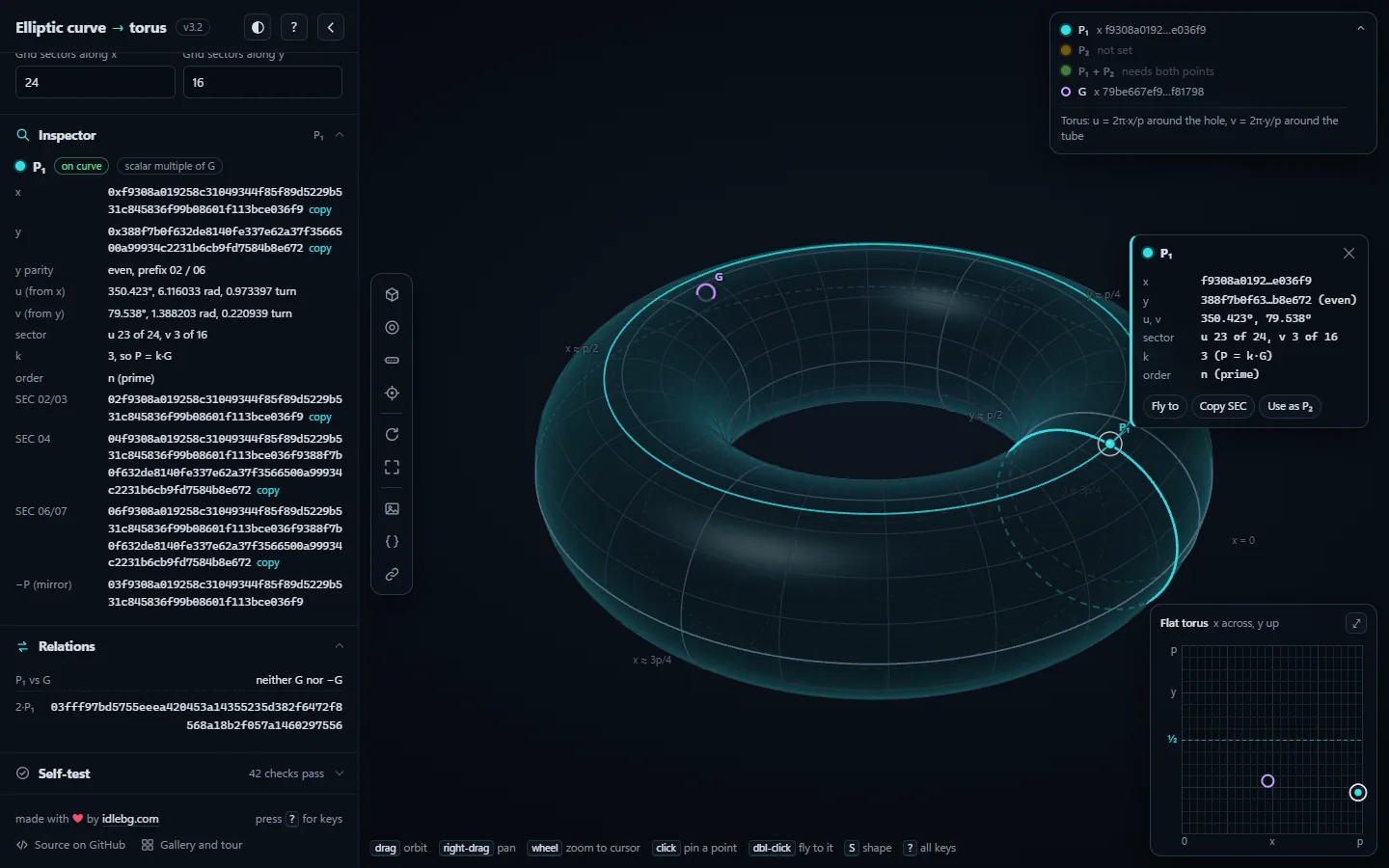
Open this view: 3G
| private key | public key (compressed SEC) | open |
|---|---|---|
1G |
0279be667ef9dcbbac55a06295ce870b07029bfcdb2dce28d959f2815b16f81798 |
open |
2G |
02c6047f9441ed7d6d3045406e95c07cd85c778e4b8cef3ca7abac09b95c709ee5 |
open |
3G |
02f9308a019258c31049344f85f89d5229b531c845836f99b08601f113bce036f9 |
open |
4G |
02e493dbf1c10d80f3581e4904930b1404cc6c13900ee0758474fa94abe8c4cd13 |
open |
5G |
022f8bde4d1a07209355b4a7250a5c5128e88b84bddc619ab7cba8d569b240efe4 |
open |
Do it yourself
- In Curve, pick the preset secp256k1: G and −G (mirror pair).
- Type
3Gin P₁. - Empty P₂.
- In the 3D view, click P₁ to pin its card.
- Read the Inspector section in the panel.
Look at: the card of 3G says k = 3; the Inspector’s SEC 02/03 row is its compressed public key. The table gives keys 1 to 5; each public key was computed by idleCore and by OpenSSL, and checked in the visualizer.
Why: these five keys are well known precisely because they are trivial: anybody can compute them, so they must never hold funds. 1G is G itself.
Example 32.2 · A 256-bit key, made up for this example
k = 0123456789abcdef0123456789abcdef0123456789abcdef0123456789abcdef, a pattern made up for this page.
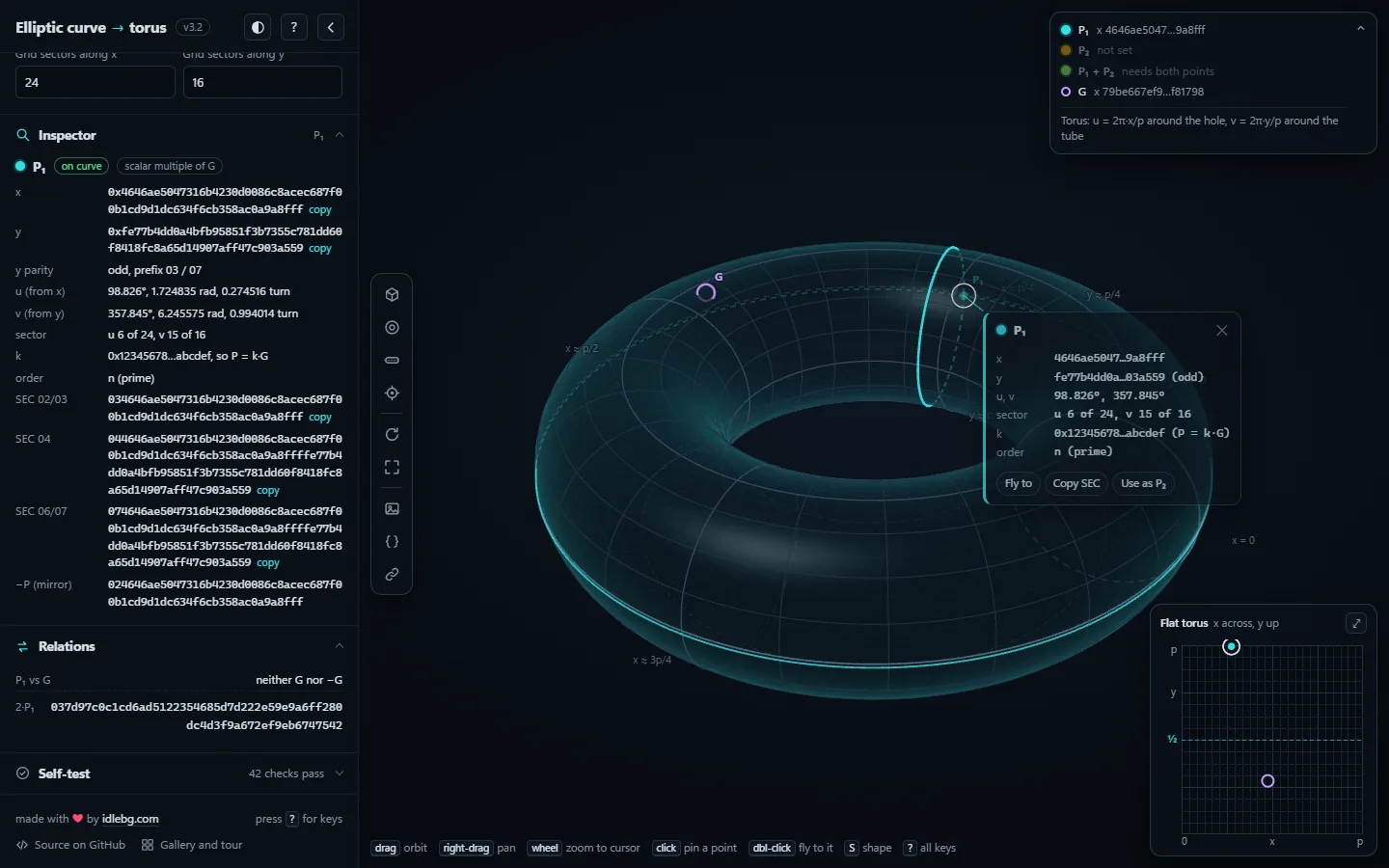
Open this view: the made-up 256-bit key
Do it yourself
- In Curve, pick the preset secp256k1: G and −G (mirror pair).
- Type
0x0123456789abcdef0123456789abcdef0123456789abcdef0123456789abcdefGin P₁. - Empty P₂.
- In the 3D view, click P₁ to pin its card.
- Read the Inspector section in the panel.
Look at: the message under P₁ (k shortened to its first and last digits, then “·G, on the curve”), the card’s k
(shortened the same way), and the
Inspector: the compressed key 034646ae5047316b4230d0086c8acec687f00b1cd9d1dc634f6cb358ac0a9a8fff and the uncompressed 044646ae5047316b4230d0086c8acec687f00b1cd9d1dc634f6cb358ac0a9a8ffffe77b4dd0a4bfb95851f3b7355c781dd60f8418fc8a65d14907aff47c903a559.
Why: 256-bit keys are typed exactly like small ones. The visualizer’s point agrees with idleCore and with OpenSSL (the build checks it), and every encoding in the Inspector has a copy button.
Example 32.3 · The last key: (n − 1)G = −G

Open this view: (n − 1)G and G
Do it yourself
- In Curve, pick the preset secp256k1: G and −G (mirror pair).
- Type
(n-1)Gin P₁ andGin P₂. - Press 3 for the side view.
- In the 3D view, click P₁ to pin its card.
- Read the Relations section in the panel.
Look at: Relations: P₁ vs G “P₁ = −G, the mirror of G”, P₂ = −P₁ yes, and the sum 𝒪.
Why: nG = 𝒪, so (n − 1)G = −G. Private keys k and n − k always give mirror images: the same x, opposite parity
of y, the prefixes 02 and 03. Here n − 1 = fffffffffffffffffffffffffffffffebaaedce6af48a03bbfd25e8cd0364140.
Example 32.4 · Adding public keys adds private keys
Two made-up keys: k₁ = 0123456789abcdef0123456789abcdef0123456789abcdef0123456789abcdef and k₂ = fedcba9876543210fedcba9876543210fedcba9876543210fedcba9876543210.
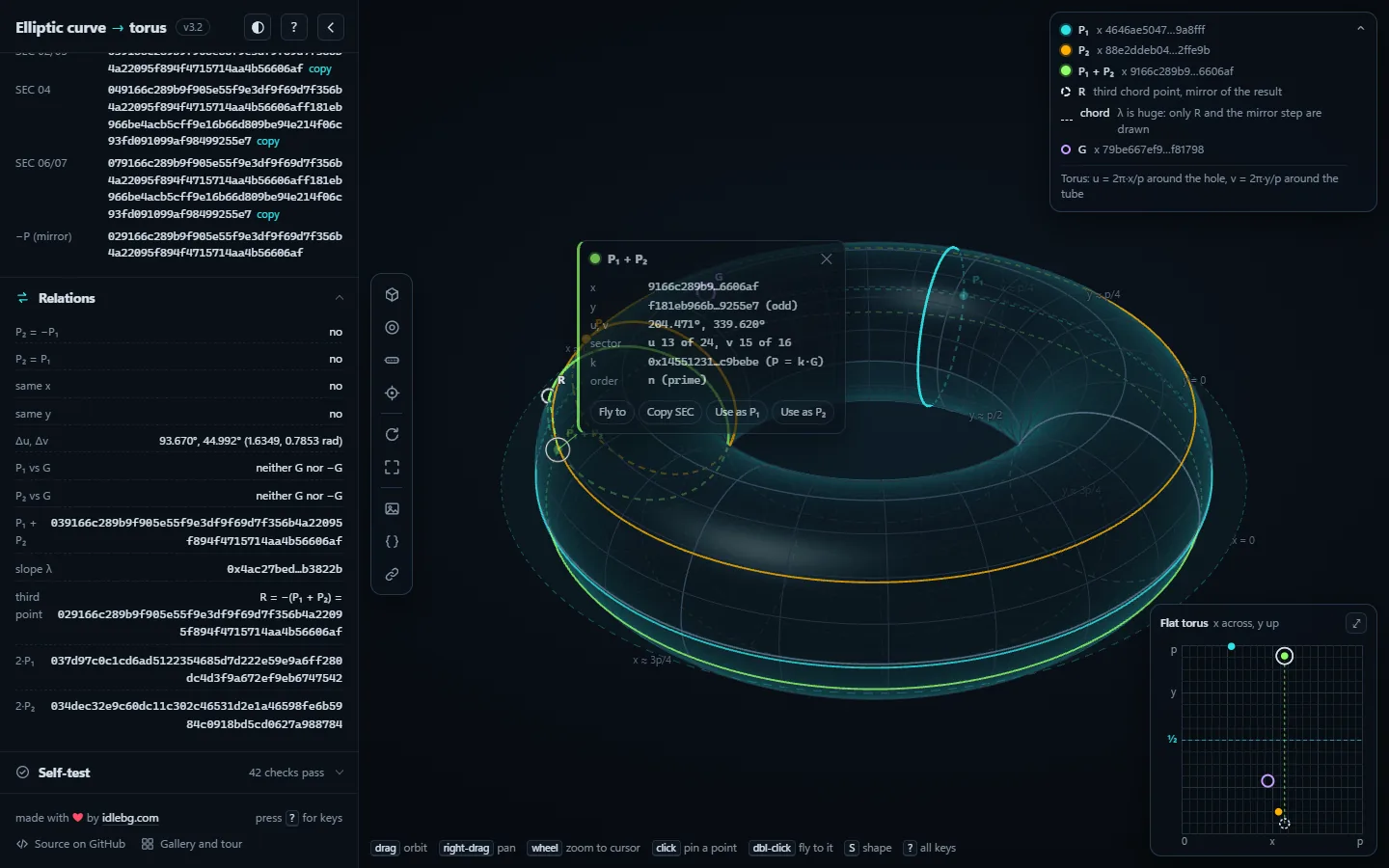
Open this view: two made-up keys added
Do it yourself
- In Curve, pick the preset secp256k1: G and −G (mirror pair).
- Type
0x0123456789abcdef0123456789abcdef0123456789abcdef0123456789abcdefGin P₁ and0xfedcba9876543210fedcba9876543210fedcba9876543210fedcba9876543210Gin P₂. - In the 3D view, click the result to pin its card.
- Read the Relations section in the panel.
Look at: the sum’s compressed key in Relations, 039166c289b9f905e55f9e3df9f69d7f356b4a22095f894f4715714aa4b56606af, and its card’s k.
Why: k₁G + k₂G = (k₁ + k₂)G, with the sum taken mod n. Here k₁ + k₂ = 2²⁵⁶ − 1, which is larger than n, so the
card shows (2²⁵⁶ − 1) − n = 000000000000000000000000000000014551231950b75fc4402da1732fc9bebe. This linearity is what BIP32 derivation and Taproot tweaks build on
(37 Where points appear in Bitcoin).
Example 32.5 · k is read mod n

Open this view: (n+5)G
| typed in P₁ | the point | open |
|---|---|---|
(n+5)G |
5G | open |
5*G |
5G | open |
0x5G |
5G | open |
-G |
−G, which is (n − 1)G | open |
nG |
𝒪: nothing to draw | open |
Do it yourself
- In Curve, pick the preset secp256k1: G and −G (mirror pair).
- Type
(n+5)Gin P₁. - Empty P₂.
- In the 3D view, click P₁ to pin its card.
- Read the Points section in the panel.
Look at: (n+5)G is the same point as 5G; its card says k = 5. The table shows other spellings: 5*G, 0x5G,
-G (k = −1, the point −G) and nG, which is 𝒪: nothing to draw.
Why: n·G = 𝒪, so only k mod n matters. A wallet must reject k = 0 and k ≥ n as private keys; the visualizer, being a calculator, just reduces.
Try it yourself
- Type
2^255G: a power of two as a key. Which prefix does its public key get? - Type
(n-1)/2 G: is the result’s x the same as for(n+1)/2 G? - Put the same made-up key into P₁ and
Ginto P₂, and press N a few times: the card’s k counts up from it.
Recap
- A public key is kG; the visualizer reads
kGwith any integer expression for k and keeps k on the cards. - k and n − k give mirror images; k is taken mod n.
- k₁G + k₂G = (k₁ + k₂ mod n)G: public keys can be added without knowing the private keys.
Next: 33 Key formats.