16 One set of points, nine shapes
Level 1 · Explorer. You will see the same points on all nine shapes the visualizer offers, learn which shapes keep the donut’s wrap-around and which cut it open, and why the mirror image survives every cut. Read first: 13 Why a donut and 15 Mirror images.
Same numbers, different wrapping
The numbers never change when you change the shape: the points, their sums, Relations and the flat map all stay the same. Only the 3D picture changes: the square of all pairs (x, y) is wrapped onto a different surface. You switch shapes with the tiles in the Shape section, or with S (next) and Shift + S (previous). The surface then morphs smoothly from the old shape into the new one.
The examples below all show one state, the preset “y² = x³ + 7 over F₂₂₃, Programming Bitcoin”: G and 8G = (116, 55) with the line through them, the third point R where that line meets the curve again, and the sum G + 8G = 9G = (69, 86). The line goes once around the hole and 3 times around the tube; chapter 24 Adding points explains why. Here it is just a good test: a line that crosses every part of the surface shows where a shape cuts it.
Each picture links to its own state; the legend at its top right repeats how that shape places x and y.
Shapes that are still a torus
Three shapes keep both directions closed. Nothing is cut, so every ring and the whole line stay in one piece.
Torus
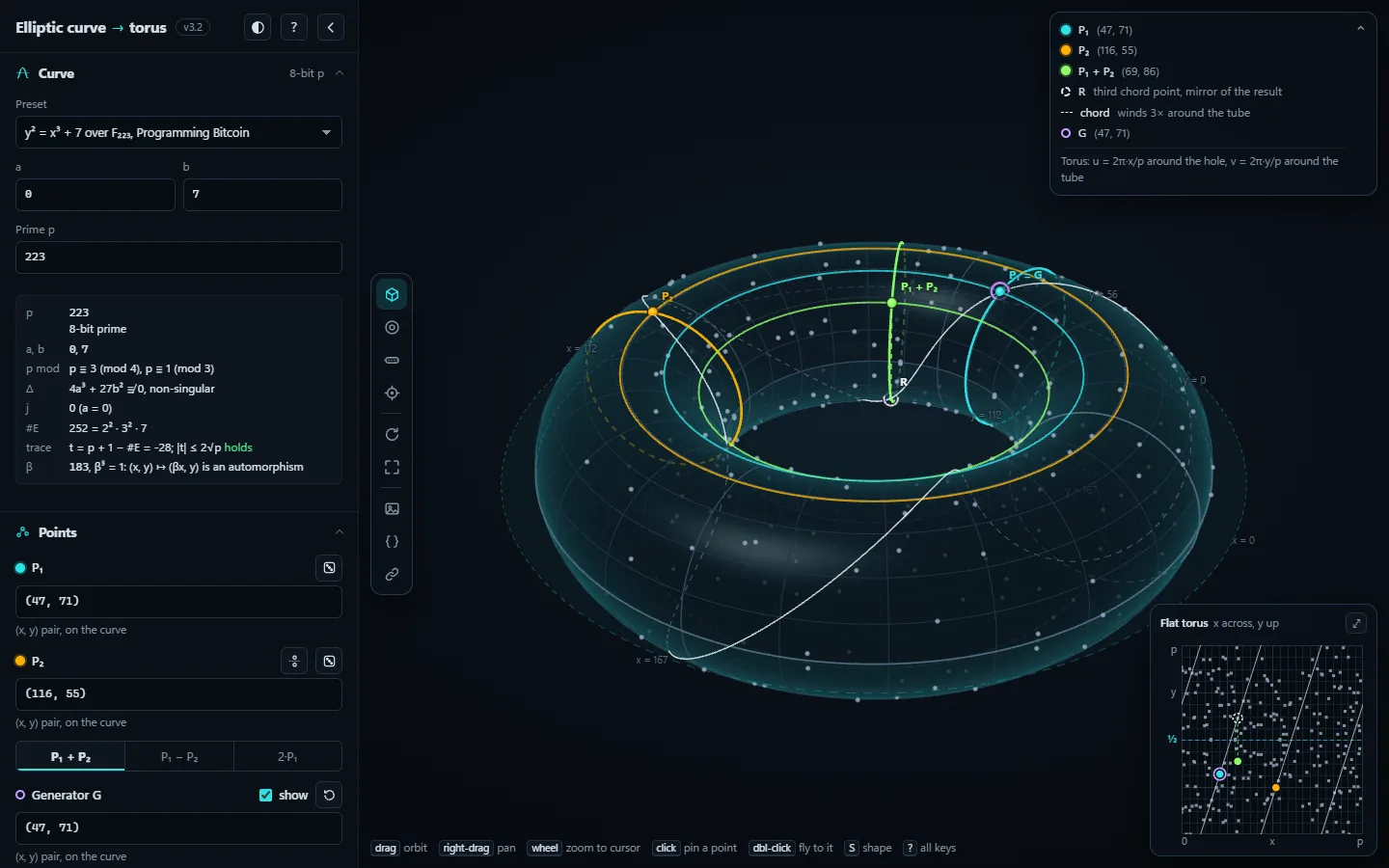
Open this view: Torus · In Curve, pick the preset y² = x³ + 7 over F₂₂₃, Programming Bitcoin.
The donut: x goes around the hole and y around the tube.
Lemniscate ∞
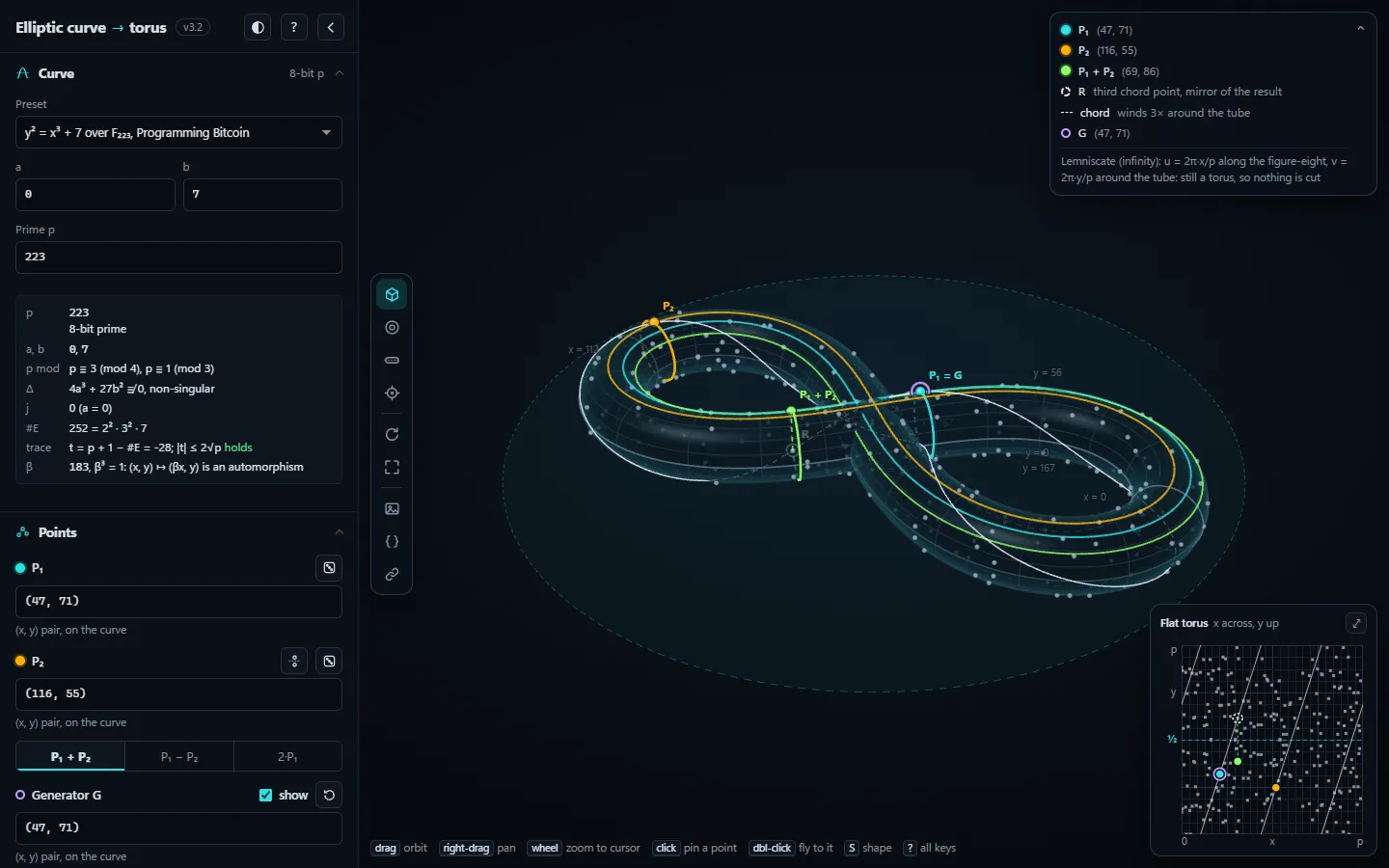
Open this view: Lemniscate (infinity) · In Curve, pick the preset y² = x³ + 7 over F₂₂₃, Programming Bitcoin. In Shape, pick Lemniscate ∞ (or press S until it shows).
A tube bent into a figure-eight (the “infinity” sign). x runs along the figure-eight, y around the tube. It is still a torus, only bent differently, so the line still winds 3 times around the tube while it runs once along the eight.
Trefoil knot
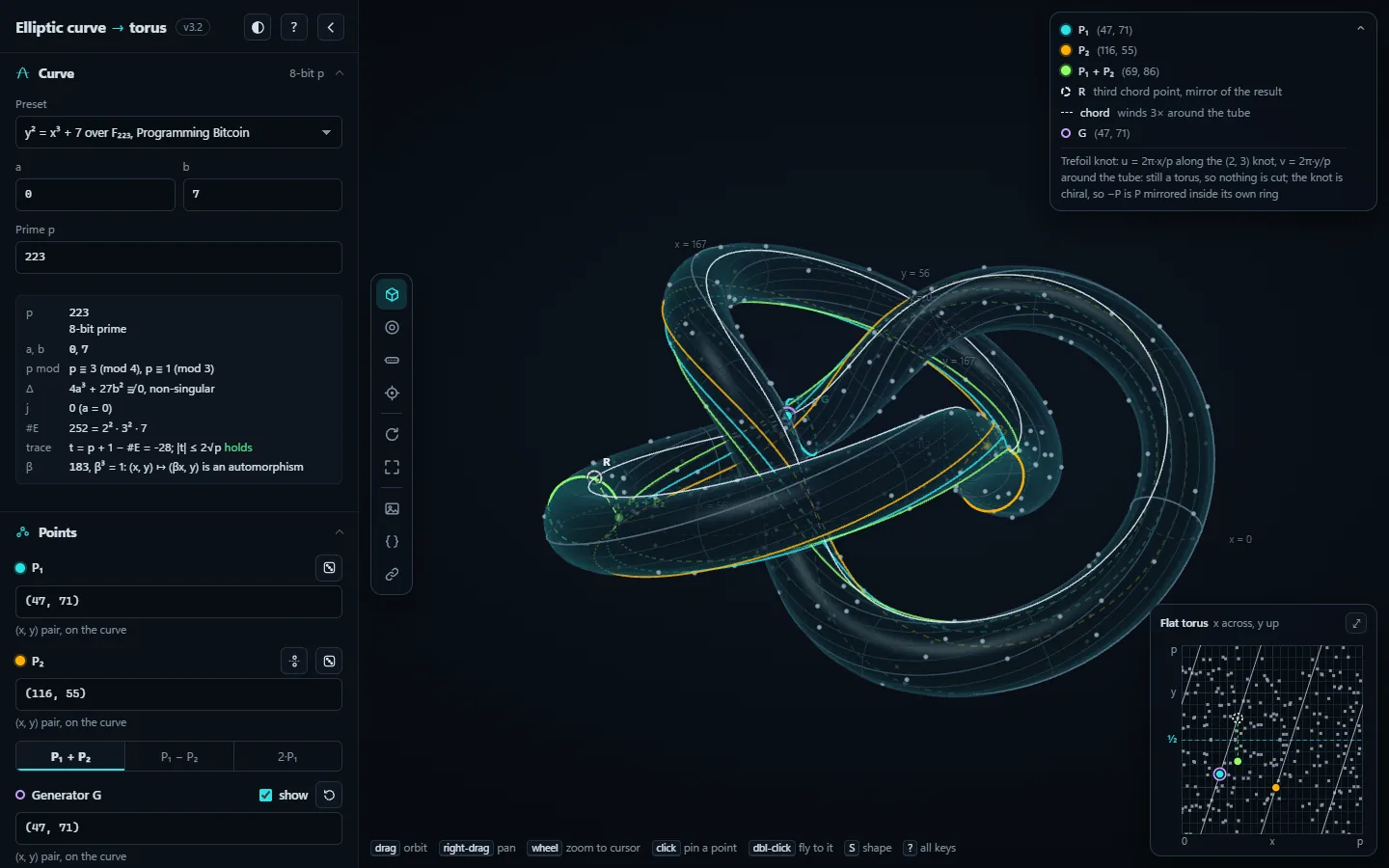
Open this view: Trefoil knot · In Curve, pick the preset y² = x³ + 7 over F₂₂₃, Programming Bitcoin. In Shape, pick Trefoil knot (or press S until it shows).
A tube tied into the simplest knot: go twice around the centre while winding three times around a ring, and the tube closes on itself with a knot in it. It is still a torus, so nothing is cut. A knot has a handedness, which is why the mirror image on this shape is a reflection inside each ring (Example 15.6).
Shapes cut open along y
Four shapes cannot close the y direction, so they cut the donut along one ring, at y ≈ p/2: the ring that is farthest from y = 0. A line that crosses the cut stops there and continues from the other edge.
Cylinder
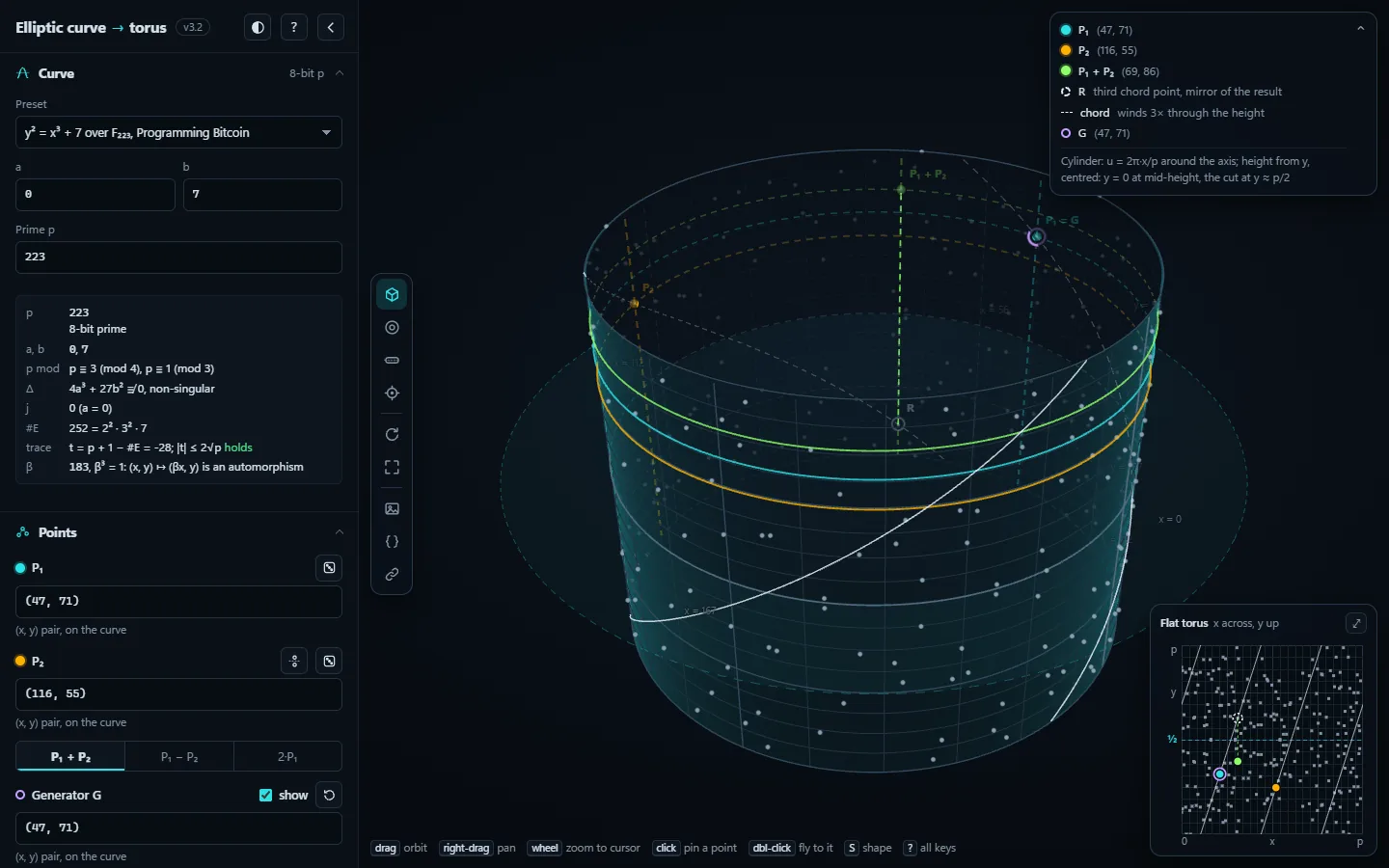
Open this view: Cylinder · In Curve, pick the preset y² = x³ + 7 over F₂₂₃, Programming Bitcoin. In Shape, pick Cylinder (or press S until it shows).
x goes around the axis, y goes up the height. y = 0 is at mid-height, and the cut is the top and bottom edge. The line crosses the height 3 times, so it breaks at the edges 3 times.
Sphere
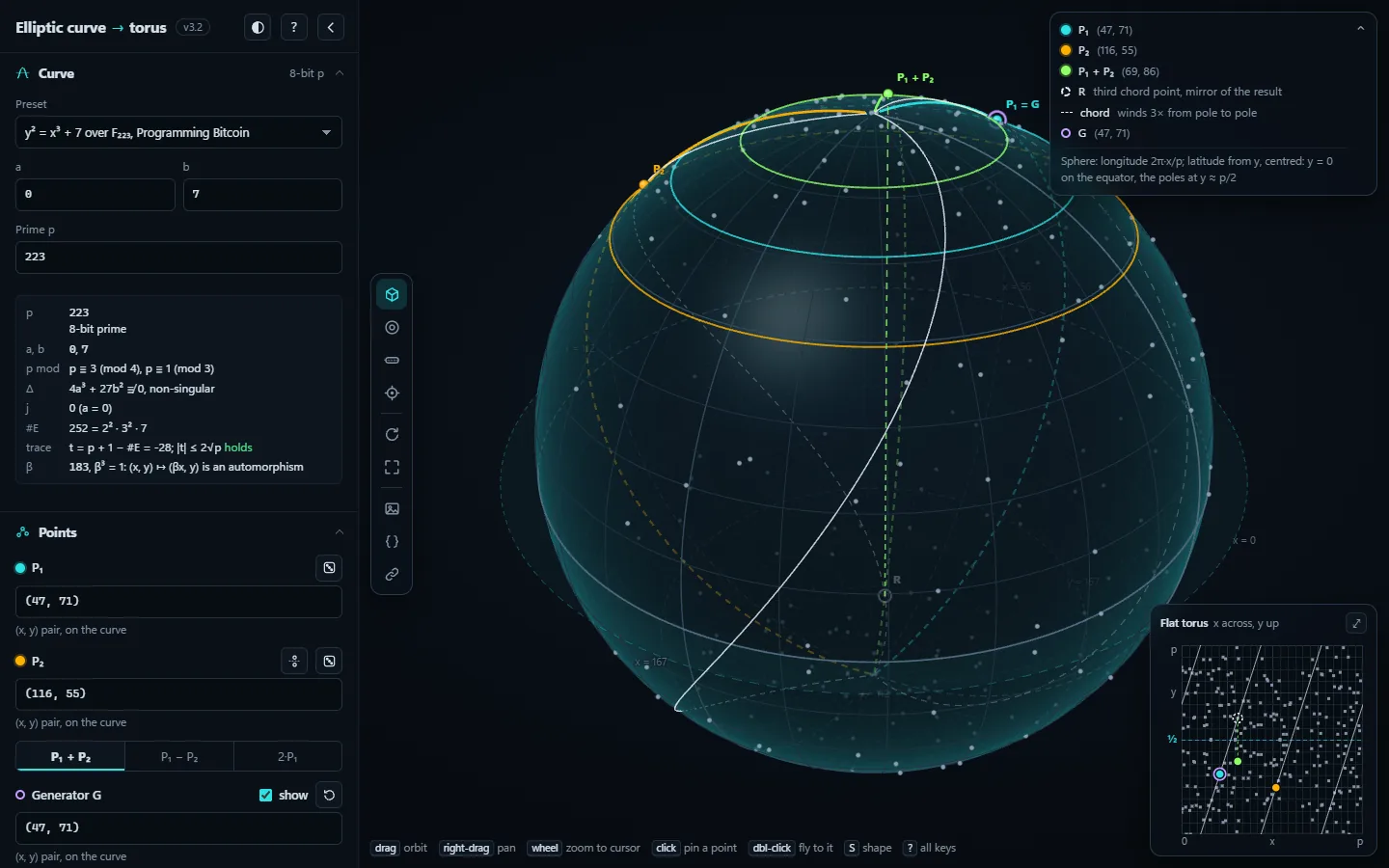
Open this view: Sphere · In Curve, pick the preset y² = x³ + 7 over F₂₂₃, Programming Bitcoin. In Shape, pick Sphere (or press S until it shows).
x is the longitude, y the latitude: y = 0 on the equator, the cut squeezed into the two poles. The line runs from pole to pole 3 times.
Ellipsoid
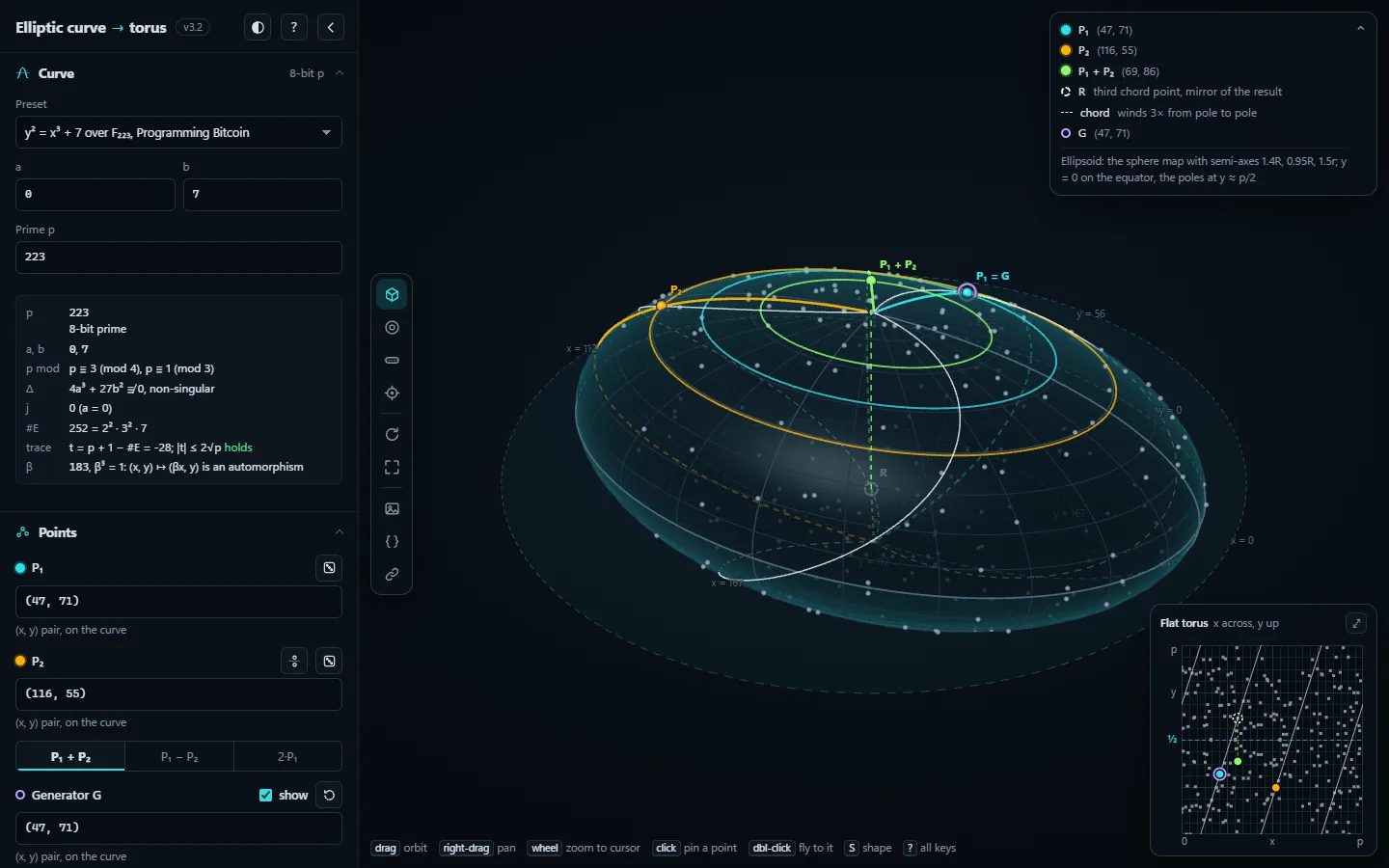
Open this view: Ellipsoid · In Curve, pick the preset y² = x³ + 7 over F₂₂₃, Programming Bitcoin. In Shape, pick Ellipsoid (or press S until it shows).
The sphere’s map on a stretched ball. Its proportions follow the two size sliders.
Icosahedron
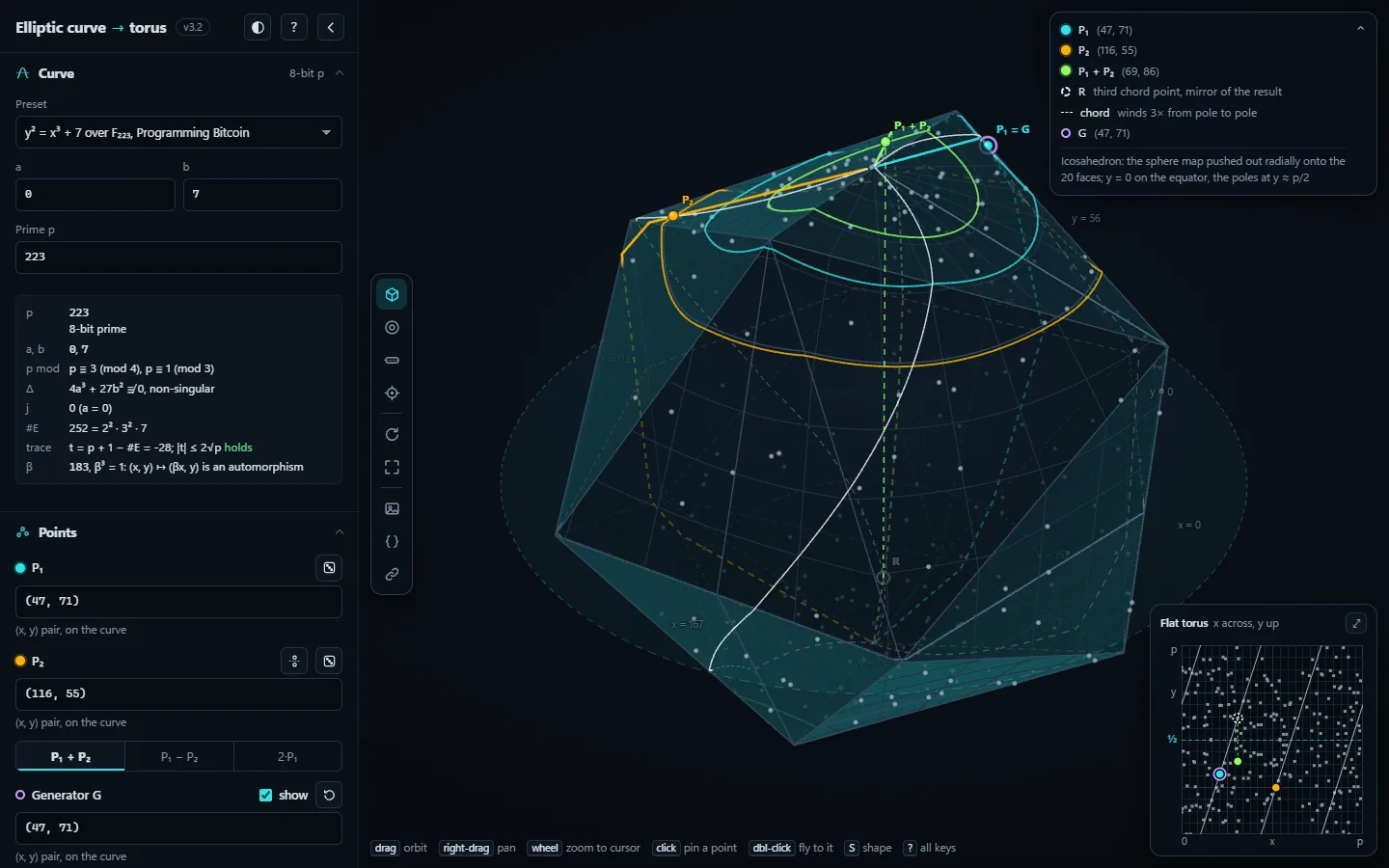
Open this view: Icosahedron · In Curve, pick the preset y² = x³ + 7 over F₂₂₃, Programming Bitcoin. In Shape, pick Icosahedron (or press S until it shows).
The sphere’s map pushed outward onto a solid with 20 triangular faces; its 30 edges are drawn.
The two odd ones out
Wavy plane
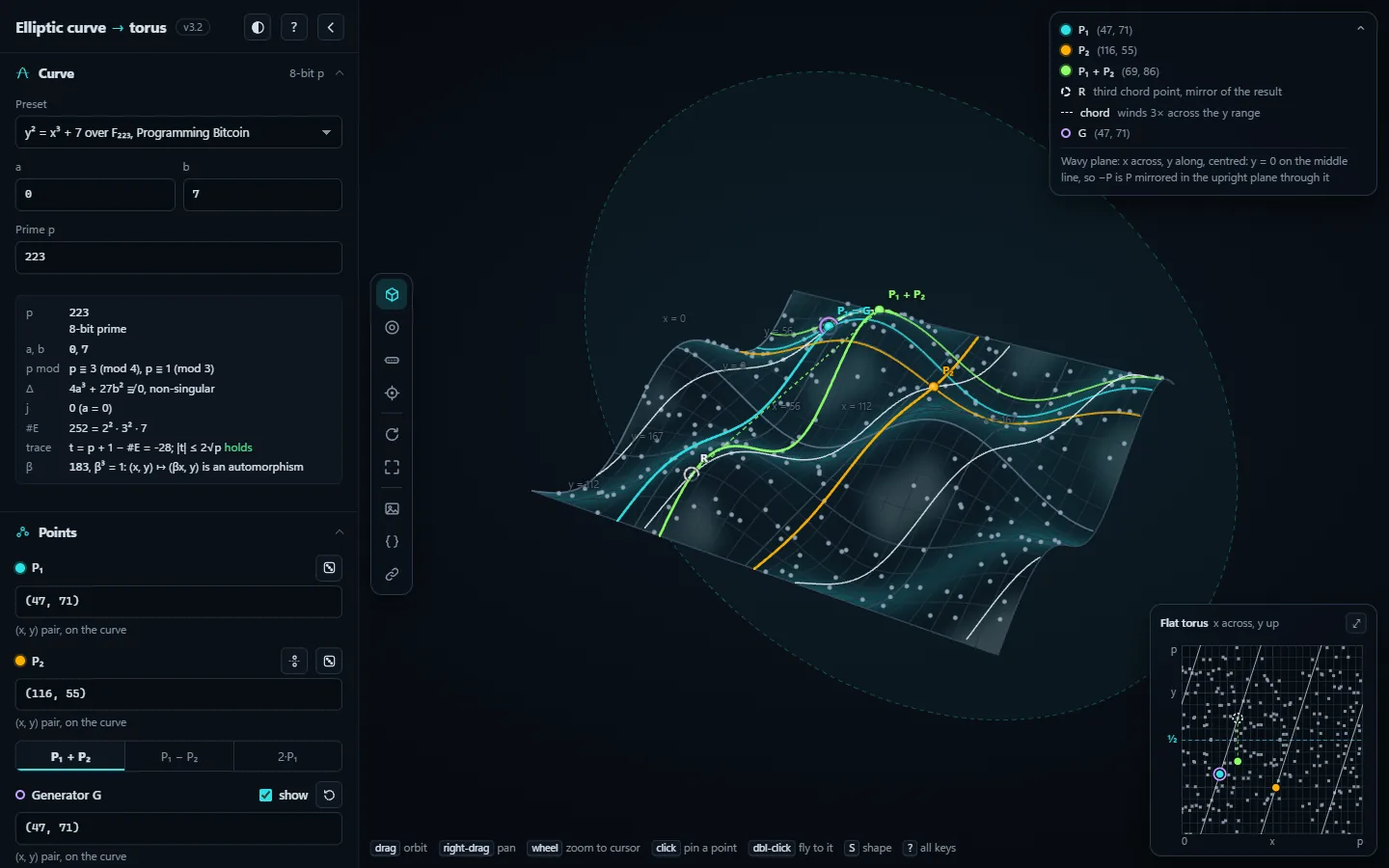
Open this view: Wavy plane · In Curve, pick the preset y² = x³ + 7 over F₂₂₃, Programming Bitcoin. In Shape, pick Wavy plane (or press S until it shows).
The flat map itself, lifted into 3D with waves. Both directions are cut: x across, y along. The line crosses the y range 3 times and breaks at the edges each time. Its mirror is the upright plane through the middle line.
Klein bottle
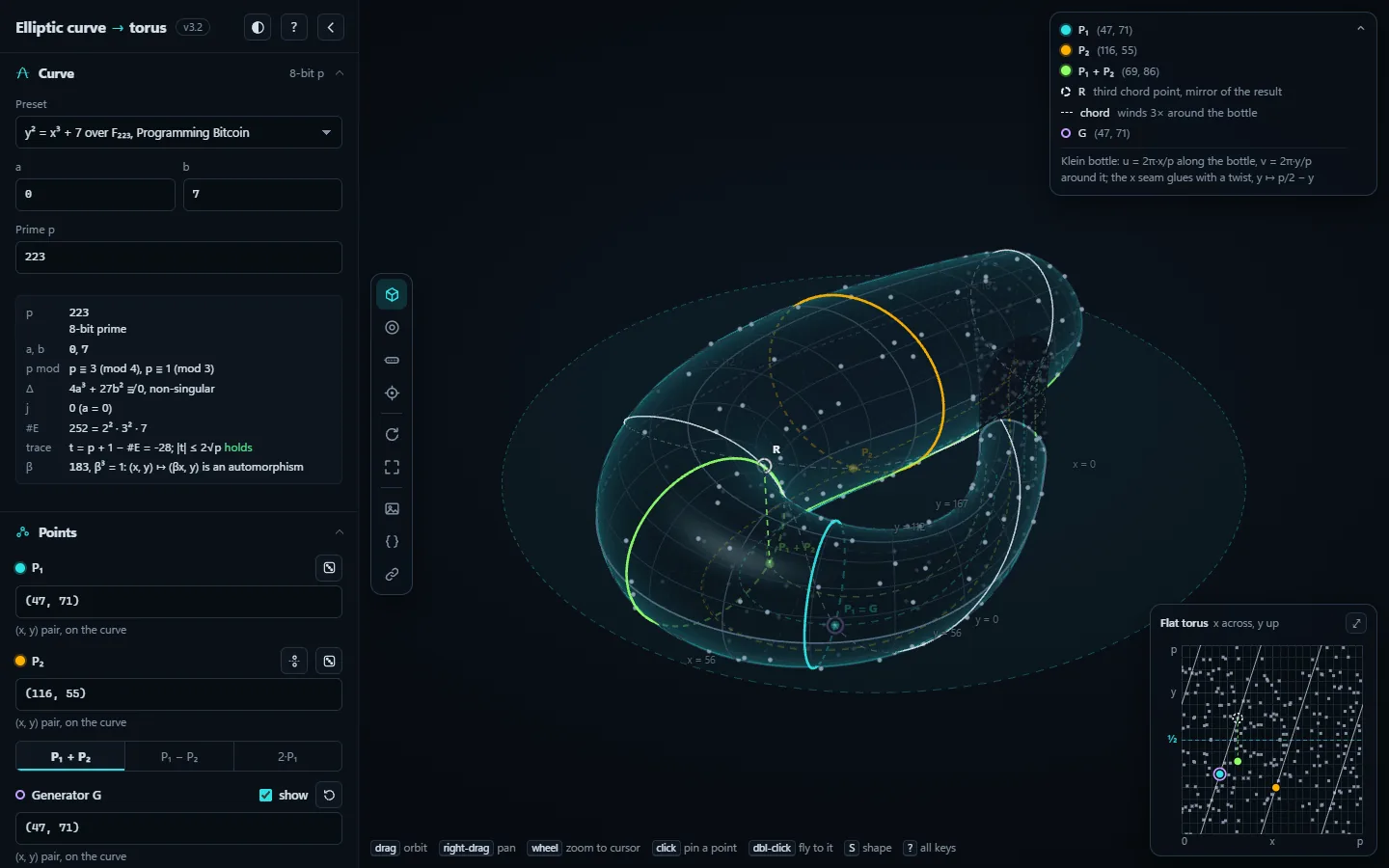
Open this view: Klein bottle · In Curve, pick the preset y² = x³ + 7 over F₂₂₃, Programming Bitcoin. In Shape, pick Klein bottle (or press S until it shows).
A surface with no inside and no outside: it closes up around y, but its x ends are glued with a twist, so that y ↦ p/2 − y across that seam. Lines break there. Because it has no outside, its glass is drawn from both sides.
Why the mirror image survives every cut
Every shape that cuts y cuts it at y ≈ p/2 and puts y = 0 in the middle. The mirror image swaps y and p − y, which keeps y = 0 where it is and swaps the two sides of the middle. So on every shape the mirror is still a reflection: in the plane of the equator (sphere, ellipsoid, icosahedron), the mid-height plane (cylinder), the upright middle plane (wavy plane), or inside each ring (trefoil). Chapter 47 Shapes as topology says this precisely for every shape.
Try it yourself
- Open the torus picture and press S slowly, nine times, to watch every morph.
- On the sphere, press 3 for the side view: the line runs from pole to pole.
- Change the two size sliders in Shape on each shape: they mean different things (radius, height, tube, waves), and the second one is greyed out where a shape does not use it.
- Try the shapes with Example 15.1 open (4G and its mirror image).
Recap
- The shape changes only the 3D picture; the numbers, Relations and the flat map stay the same.
- Torus, lemniscate and trefoil keep both directions closed; cylinder, sphere, ellipsoid and icosahedron cut y at y ≈ p/2; the wavy plane cuts both, and the Klein bottle glues x with a twist.
- y = 0 is always on the mirror, so −P stays a reflection on every shape.
Next: 17 Save, share, export.